Video Podcast Setup: The Practical Guide for B2B Teams
Building a video podcast setup? Cameras, audio, lighting and software, with honest budget bands. See what DIY really costs before you buy the kit.
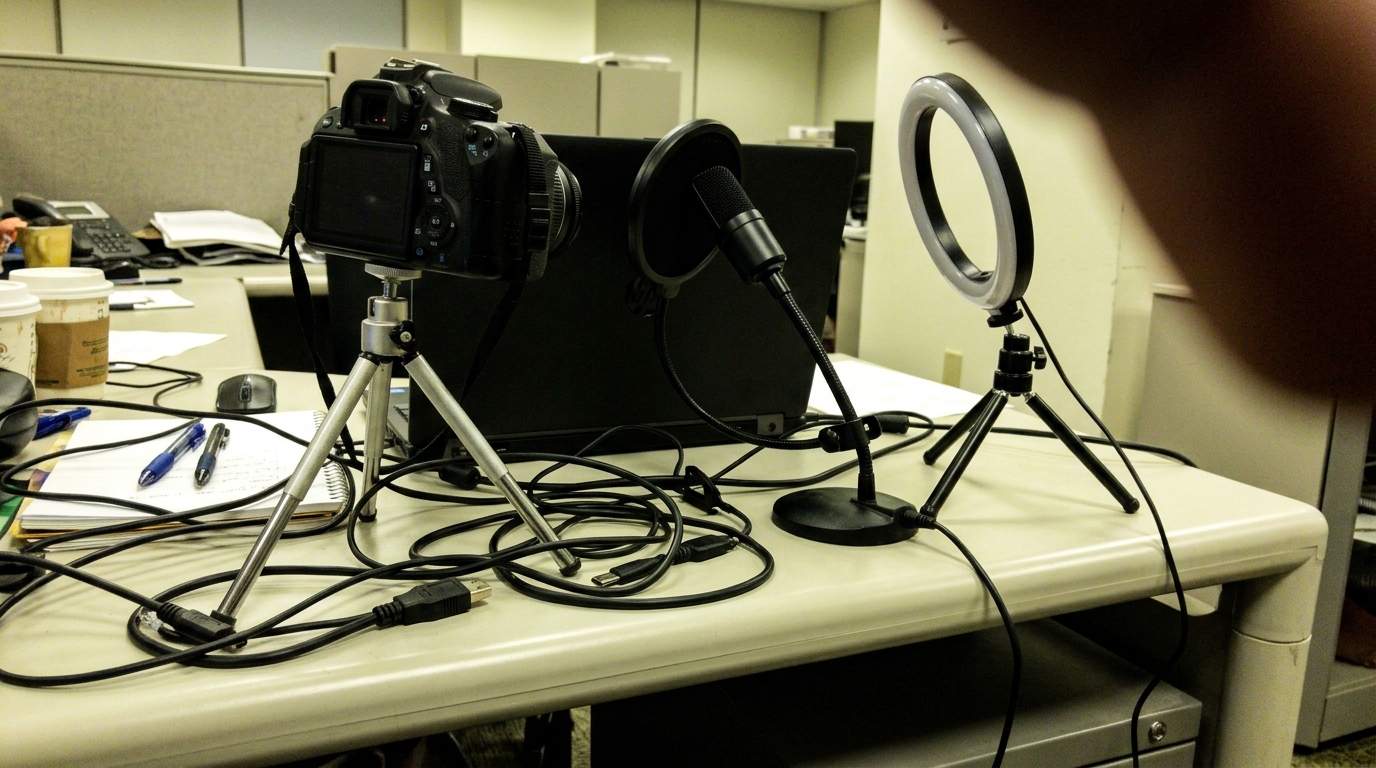
A video podcast setup has three jobs: make your guests look sharp, make them sound sharper, and stay out of the way whilst they talk. Get those three right and everything downstream (editing, clips, distribution) gets easier. Get them wrong and no amount of post-production will rescue the episode.
This guide covers what you actually need to record a video podcast worth watching: cameras, audio, lighting, remote versus in-studio recording, and the software that ties it together. Realistic budget bands throughout, no affiliate links to wade through. One honest warning before we start. A proper setup is a genuine investment in kit and time, which is why plenty of teams do the sums and go straight to a video podcast production partner instead. We will run those sums at the end so you can decide for yourself.
Start with the room, not the shopping list
The most expensive camera in the world cannot fix a bad room. Before you buy anything, find a space with soft surfaces (carpet, curtains, sofas, full bookshelves) and as little echo as possible. Stand in the middle and clap once. If you hear a ring, your recordings will ring too.
Avoid glass-walled meeting rooms. They look professional and sound like a swimming pool. A smaller room full of soft furnishings beats a big shiny one every time. Acoustic panels help (£100 to £300 for a starter set), but furniture does most of the work for free.
Cameras: three realistic tiers
Camera budgets go wrong when people buy for the show they imagine rather than the show they are actually making. Three tiers make sense for podcasting. Everything else is either a compromise too far or money spent showing off.
Tier one: a good webcam (£80 to £200)
A modern 1080p or 4K webcam is perfectly fine for a first season, especially for remote shows. It is plug-and-play, needs no capture hardware and sits happily on a monitor. The limits are real, though. A small sensor means grainy footage in anything less than good light, and the fixed wide lens produces that unmistakable "person at a desk" look. Acceptable for LinkedIn clips. Hard to make look premium.
Tier two: a single mirrorless camera (£700 to £1,800 with a lens)
The biggest quality jump per pound available. An entry-level mirrorless body with a fast prime lens gives you sharp footage, natural background blur and full manual control. You will also need a way to get the signal into a computer if you are recording live (a capture card, £80 to £250), a mains power adapter so the battery does not die mid-interview, and a sturdy tripod. Before buying, check the camera offers clean HDMI output and no recording time limit. Plenty of cameras built for photographers sulk when asked to roll for an hour.
Tier three: multi-cam mirrorless (£4,000 to £10,000 and up)
Two or three matched cameras: a wide two-shot plus a close-up on host and guest. This is what makes a show look like television, and it is usually what B2B brands are picturing when they say "video podcast". Costs stack quickly: bodies, lenses, tripods, capture for every camera, memory cards, spare batteries. The cameras must also be matched (same model or family, same white balance, same picture profile), otherwise the edit looks like three different shows stitched together. Remote-controlled PTZ cameras are a tidy alternative here if nobody wants to stand behind a tripod all afternoon.
Audio: the part that matters more than video
Viewers forgive average video. They do not forgive bad audio. People will happily watch a slightly soft image for forty minutes, but hiss, echo or a clipping microphone loses them in ninety seconds. If the budget is tight, spend on sound first and cameras second. Nobody has ever complimented a podcast on its bitrate.
Microphones
Dynamic broadcast microphones are the safe choice. They reject room noise far better than condenser mics, which is exactly what you want in an untreated office. Budget £70 to £150 per person for a solid USB dynamic mic, or £90 to £350 per person for an XLR broadcast mic running into an interface. Add a boom arm each (£30 to £100) so the mic sits close to the mouth without dominating the frame. Close is the whole game: a great mic at arm's length sounds worse than a cheap one at a hand's width.
Interfaces and recorders
XLR mics need something to plug into: an audio interface or a dedicated podcast recording console, roughly £150 to £600 depending on how many channels you need. The one non-negotiable feature is multitrack recording. Record every person on their own track, every time. A cough, a bumped stand or one over-loud guest on a single mixed track ruins the whole file. On separate tracks it is a five-minute fix.
Closed-back headphones for everyone (£50 to £150 each) complete the chain. If nobody is monitoring, nobody notices the air-conditioning hum until the edit, by which point it is a permanent feature.
Lighting: the cheapest way to look expensive
Lighting is where modest cameras punch above their weight. A well-lit webcam beats a badly lit mirrorless, every time.
- Key light. One soft LED panel or softbox, placed at roughly 45 degrees to the face. This does most of the work. £100 to £300.
- Fill. A second, dimmer source (or a reflector, or a conveniently white wall) opposite the key to soften shadows.
- Back light. A small light behind the subject to lift them off the background. This is the one that makes footage look deliberate rather than accidental.
Soft and consistent beats bright. Do not mix daylight from a window with warm office bulbs; the camera cannot decide what colour anything is and skin tones drift all over the place. Black out the window or switch off the overheads, then commit. A basic three-point kit runs £250 to £700 and lasts for years.
Remote or in-studio?
Remote setups
Remote recording platforms have become genuinely good. The better ones record each participant locally, at full quality on their own machine, then upload in the background, so a wobbly connection does not wreck the footage. Expect £15 to £50 a month. The catch is that you only control half the recording. Your end can be immaculate; your guest is still on a laptop webcam in their kitchen. Serious remote shows post a microphone (sometimes a light too) to every guest in advance. It works, but it adds cost, admin and a tech-check call per episode.
In-studio setups
In person is simply better. Conversation flows, eye contact is real, and you control every variable: sound, light, framing, background. The trade-offs are a dedicated space, guests who have to travel, and someone to operate it all on the day. If you want studio quality without building anything, podcast studio hire gets you professional kit and an engineer by the day. Plenty of shows run hybrid, host in a fixed setup and guests remote, which at least keeps half of every episode consistent.
Software and switching
For remote shows the recording platform does most of the heavy lifting. For in-person recording there are two routes.
- Record everything, edit later. Each camera records internally, audio runs into the multitrack recorder, and it all gets synced in the edit. Cheapest on hardware, heaviest on editing hours. Multicam editing is where time quietly disappears.
- Switch live. A compact hardware vision switcher (£250 to £1,000) cuts between cameras as you record, so you leave the room with a nearly finished programme. Faster turnaround, but you need a spare pair of hands to operate it, and a bad live cut is baked in forever.
Whichever route you take, budget for editing software (free to £60 a month) and, more importantly, for the editing itself. An hour-long multi-cam episode routinely takes six to ten hours to edit, clip and package for each platform. That figure never appears on the kit list, and it kills more shows than any camera decision.
Common first-timer mistakes
- Buying cameras before microphones. The classic. Audiences tolerate soft video and punish bad sound, yet the camera gets the budget because it is the fun purchase.
- Leaving everything on auto. Autofocus hunts, and auto-exposure pulses every time someone gestures. Lock focus, exposure and white balance before you press record.
- No backup recording. Cameras overheat, cards fill, software crashes. Record internally on the camera even while capturing to a computer, and keep a cheap audio recorder running as a safety track.
- Mics too far from mouths. Distance equals echo. If the microphone is completely out of shot, it is probably too far away to do its job.
- Nobody monitoring. If no one wears headphones during the recording, problems get discovered in the edit, where they can no longer be fixed.
- Buying the full kit before recording a pilot. Record two episodes on borrowed or basic gear first. One awkward pilot teaches you more about what your show needs than a month of gear reviews.
What a video podcast setup really costs
Time for the honest totals.
- Scrappy but respectable: a webcam, a USB mic per person, one key light. £400 to £700.
- Credible single-camera studio: a mirrorless camera, two XLR mics and an interface, three-point lighting, basic acoustic treatment. £2,500 to £5,000.
- Multi-cam, television-grade: £8,000 to £15,000, before anyone has been paid to operate it.
Then the time, which is the bigger number. Per episode: an hour of setup and teardown, the recording itself, and six to ten hours of editing and clipping. Someone has to own all of that, every fortnight, indefinitely, alongside their actual job. The kit is a one-off cost. The time never stops.
This is why so many B2B teams do the maths and hand the whole thing to a partner. For comparison, Earworm runs video podcasts end to end (strategy, studio recording, editing, clips, distribution and analytics) from £1,500 a month, with shows launched in four to eight weeks. Every recording becomes YouTube episodes, LinkedIn clips and audio feeds, and nobody on your team has to learn what a picture profile is.
Skip the Shopping List
Earworm builds and runs B2B video podcasts for brands including Soldo, KPMG and Experian, from first strategy session to published clips. If the list above reads like a second job, our video podcast production service replaces it entirely: our studio, our kit, our editors, your show. Book a call and we will tell you exactly what your show needs (and what it does not).